Webhooks: introducing transformations

Modify webhookWebhook An automated notification sent from Codat to your application when specific events occur, such as when data syncs complete or connections change status. properties in-flight with our new webhookWebhook An automated notification sent from Codat to your application when specific events occur, such as when data syncs complete or connections change status. transformations feature before they are sent to your application.
What's new?
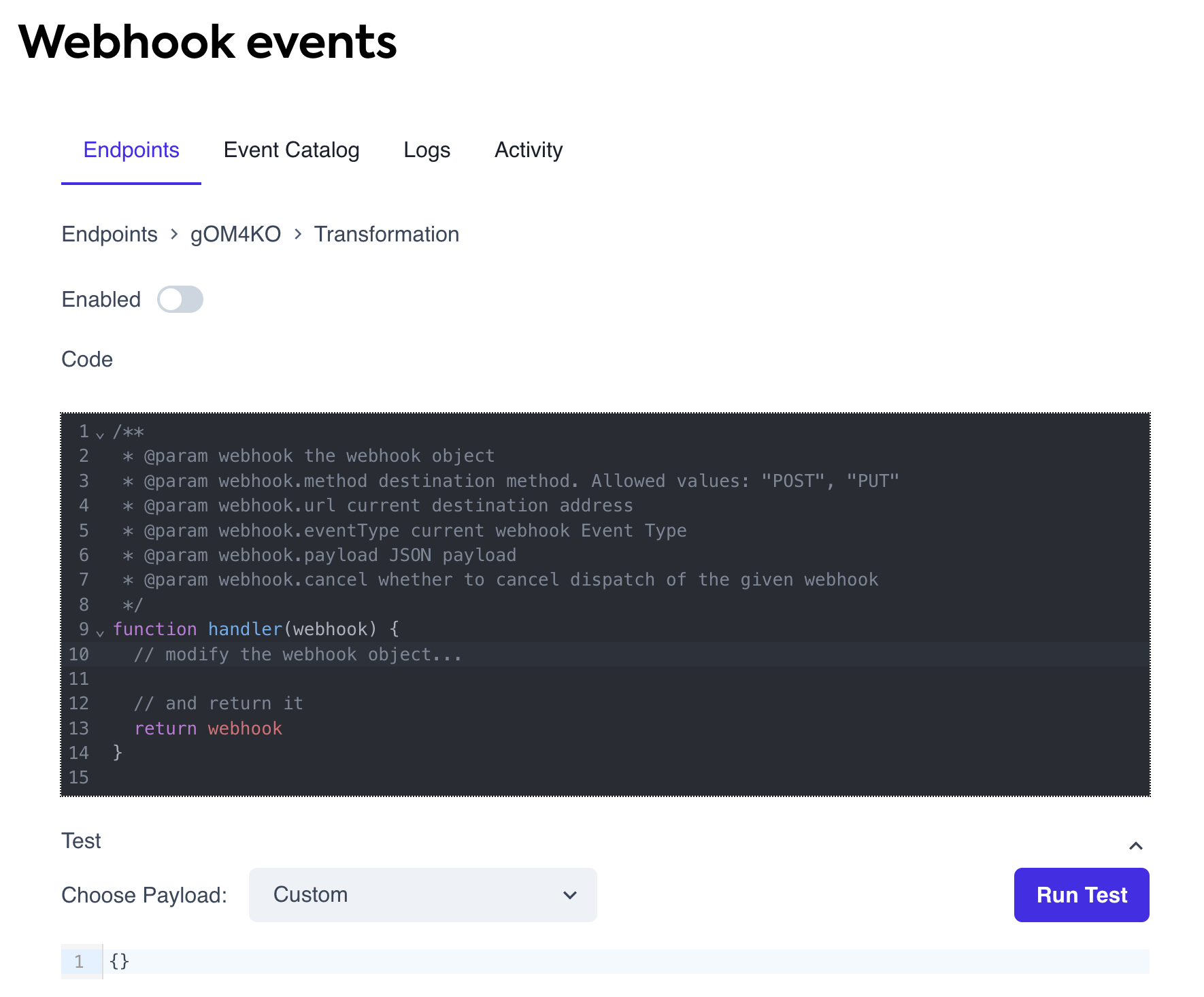
We’ve introduced webhookWebhook An automated notification sent from Codat to your application when specific events occur, such as when data syncs complete or connections change status. transformations, allowing you to modify webhookWebhook An automated notification sent from Codat to your application when specific events occur, such as when data syncs complete or connections change status. properties before they are sent to your application. For example, you can:
- Change the webhookWebhook An automated notification sent from Codat to your application when specific events occur, such as when data syncs complete or connections change status.'s HTTP method (
POSTorPUT). - Redirect webhooksWebhook An automated notification sent from Codat to your application when specific events occur, such as when data syncs complete or connections change status. to a different target URL.
- Modify the webhookWebhook An automated notification sent from Codat to your application when specific events occur, such as when data syncs complete or connections change status. event schema.
- Cancel webhookWebhook An automated notification sent from Codat to your application when specific events occur, such as when data syncs complete or connections change status. delivery based on specific conditions.
Who is this relevant for?
This update is useful for developers and teams who:
- Need to customize webhookWebhook An automated notification sent from Codat to your application when specific events occur, such as when data syncs complete or connections change status. event schemas to match their system’s requirements.
- Want to reroute webhooksWebhook An automated notification sent from Codat to your application when specific events occur, such as when data syncs complete or connections change status. dynamically.
- Require fine-grained control over webhookWebhook An automated notification sent from Codat to your application when specific events occur, such as when data syncs complete or connections change status. dispatching, such as filtering events based on companyCompany In Codat, a company represents your customer's business entity. Companies can have multiple connections to different data sources. tags.
How to get started?
- In the Codat Portal, go to Monitor > WebhooksWebhook An automated notification sent from Codat to your application when specific events occur, such as when data syncs complete or connections change status. > Events and select an endpoint.
- In the detailed endpoint view, click Advanced, then Edit transformations.
- Modify the
WebhookObjectto adjust the properties you wish to change. - Save your changes — your transformation is now active.
For a step-by-step guide, read how to Transform webhook properties.